
Slack Download for Linux: Fedora, RHEL, Debian and Arch Explained

A Slack download for Linux is easy on Ubuntu, but the further you move from the distributions Slack officially supports, the more it matters what you install and who maintains it. This guide is for people running Red Hat Enterprise Linux, Rocky Linux, AlmaLinux, Fedora, Debian, Linux Mint, Pop!_OS, Arch, Manjaro and similar systems. It explains which official package fits each family, why community packages deserve caution, how Wayland affects screen sharing, and when the web app is simply the better tool. SlackDownload.com is a third-party guide; every source we point to is Slack's own.
What Slack Officially Supports on Linux
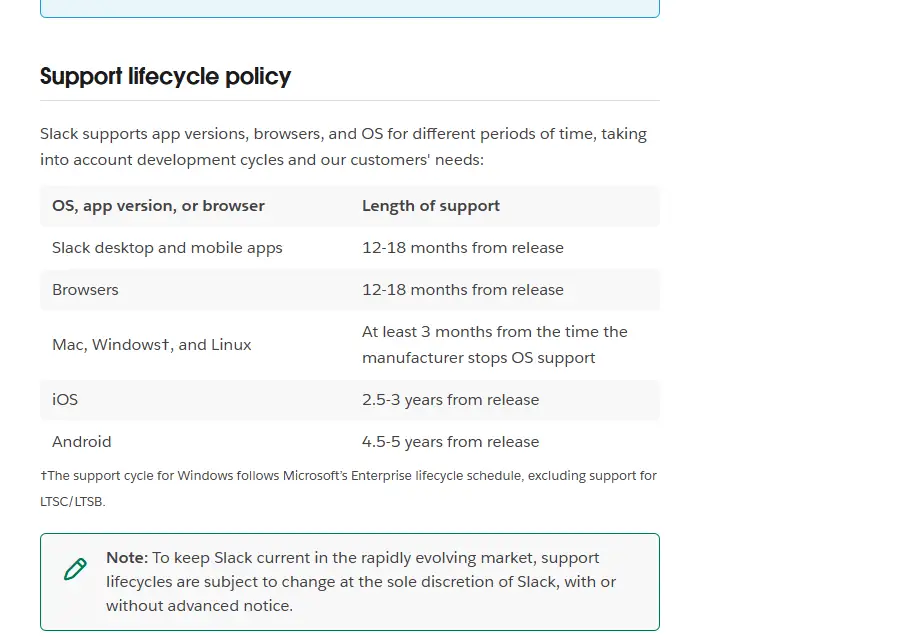
Slack labels its Linux app as beta, and its system requirements name just two Linux platforms. Here is the current list alongside the Linux end-of-support dates from Slack's support lifecycle page.
| Distribution | Status for Slack |
|---|---|
| Ubuntu LTS 22.04 or above | Supported (app 4.44 or above) |
| Red Hat Enterprise Linux 9.0 or above | Supported (app 4.44 or above) |
| Ubuntu 20.04 | End of support May 18, 2026 |
| Red Hat Enterprise Linux 8 | End of support March 15, 2025 |
| Fedora (all versions) | End of support March 1, 2022 |
| Debian, Arch, openSUSE and others | Not listed |
Requirements last checked: (Slack revises them every May and November).
Unlisted does not always mean broken. RHEL-compatible and Debian-based systems often run the official packages because the underlying libraries are similar. But "often runs" is not "supported": if something breaks, Slack may ask you to reproduce it on a supported platform or in the web app. Slack's lifecycle policy says Mac, Windows and Linux operating systems are supported for at least three months after the manufacturer stops supporting them, and an OS past end of support keeps working on a supported app version but stops receiving app updates.
Choosing a Slack Download by Distribution Family
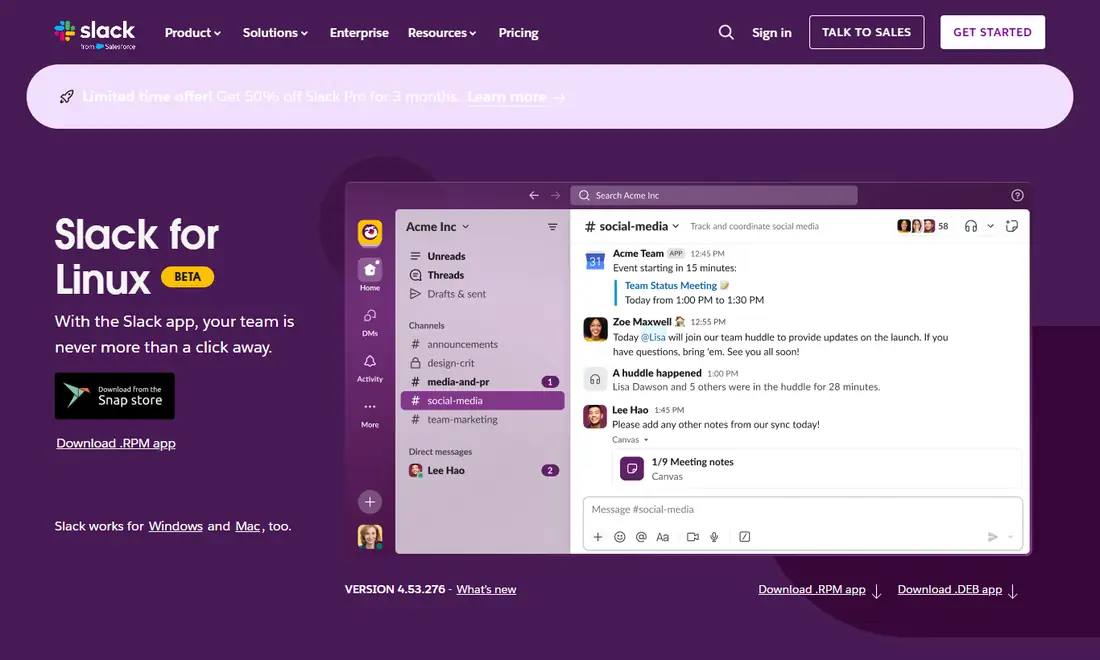
Slack publishes two native packages on its Linux download page, version 4.53.276 when we checked, plus a Snap that showed 4.53.280. Both native files are 64-bit x86 builds; the .rpm served was slack-4.53.276-0.1.el8.x86_64.rpm, an el8 build, and the .deb was an amd64 build.
| Family | Examples | Official option | Support status |
|---|---|---|---|
| RHEL and compatibles | RHEL 9+, Rocky Linux, AlmaLinux | .rpm | RHEL 9.0+ supported; compatibles unlisted |
| Fedora | Workstation, spins | .rpm or Snap | End of support since March 1, 2022 |
| Debian-based | Debian, Linux Mint, Pop!_OS | .deb | Ubuntu LTS supported; others unlisted |
| Arch-style | Arch, Manjaro, EndeavourOS | Snap or web app | No official native package |
| Others | openSUSE, NixOS, Void | Snap where available, or web app | Unlisted |
On Ubuntu itself, see our Slack download guide for Ubuntu, which compares the .deb and Snap in detail. Whatever you choose, install only one format: Slack's help article advises against having the Snap and other Linux packages installed together.
Installing the Slack .rpm on RHEL 9 and Compatibles
RHEL 9 and later is the only non-Ubuntu platform on Slack's list, which makes the .rpm the most dependable route outside the Ubuntu world. Slack's Linux install help article has a dedicated RHEL tab and tells you to click Download .rpm (64-bit) on the downloads page.
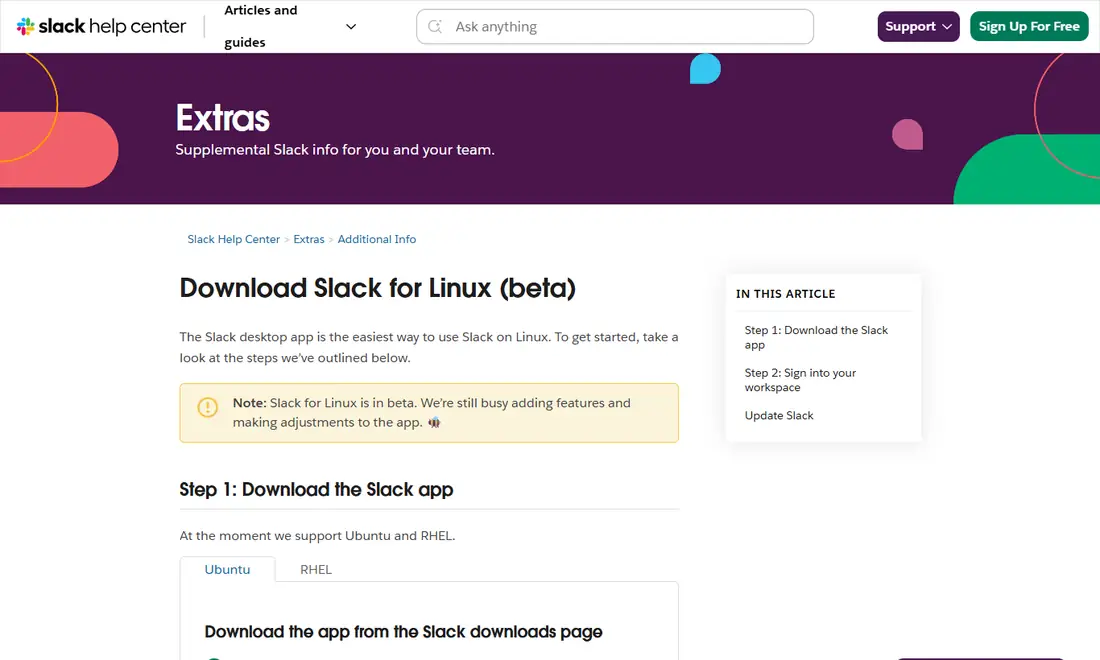
After the download, open a terminal in that folder and run sudo dnf install ./slack-*.rpm. Like apt, dnf resolves dependencies and asks you to confirm, which is why it beats calling rpm directly. On RHEL, make sure the system is registered and its standard repositories are enabled, or dnf may not find dependencies.
Updates and package signatures
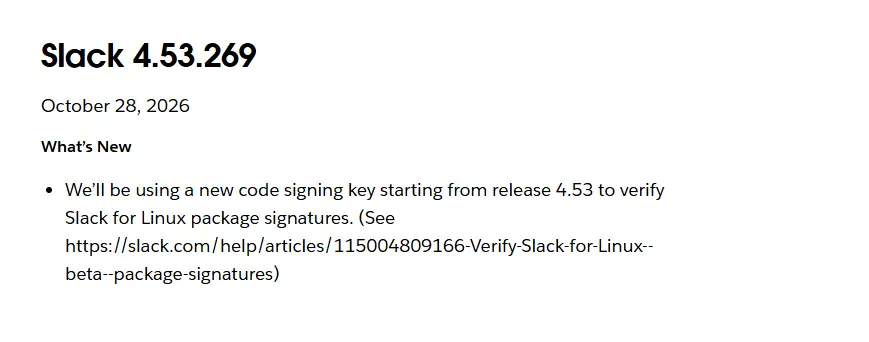
If your system receives Slack updates through dnf, sudo dnf upgrade picks them up with everything else; otherwise download the newer .rpm and install it the same way. In locked-down environments where admins control repositories, updates may come from your management tooling instead. Slack's Linux release notes say a new code signing key is used for Linux package signatures starting from release 4.53, so a signature warning after an upgrade usually means you need the current key or a fresh package from slack.com, not that you should bypass the check.
Fedora specifics
Fedora moves fast and ships newer libraries than RHEL. Slack's lifecycle page lists every Fedora version as past end of support since March 1, 2022, so the .rpm is best effort there: it may install, but a major Fedora upgrade can bring dependency or rendering problems. Image-based variants such as Fedora Silverblue do not take .rpm files the usual way, so the Snap or web app is often cleaner. If the .rpm stops working after a Fedora upgrade, check for a newer Slack build first, then switch to the web app while you wait rather than downgrading system libraries.
Debian, Linux Mint and Pop!_OS
Debian is Ubuntu's foundation, so the official .deb usually installs on Debian stable and derivatives. Only Ubuntu LTS 22.04 and above is supported, so treat everything else as best effort.
- Download the .deb from Slack's Linux download page.
- Open a terminal in your Downloads folder.
- Run
sudo apt install ./slack-desktop-*.deb. - Launch Slack from your application menu.
Slack's help article gives sudo apt-get update and sudo apt-get upgrade slack-desktop as the update commands, and notes that the old apt-key method is deprecated from Debian 12 and Ubuntu 24.04, with newer update scripts included in Slack 4.35.121 and higher. On Linux Mint, check whether Snap is enabled before choosing it; the .deb is usually the more natural choice there. Debian stable can carry older libraries than the Slack build expects; if an install fails on a version requirement, read the error rather than forcing it.
Arch Linux and Community Packages
Slack does not publish an Arch package. What you will find for Arch, Manjaro and EndeavourOS are community packages that repackage Slack's .deb or .rpm, maintained by volunteers. They are unofficial, which means:
- Slack does not review, sign or support the packaging layer.
- Updates depend on a volunteer noticing each new release.
- A build script can in principle be changed to do something unexpected, so read it before building.
- Slack support cannot help with problems caused by the packaging.
If you use one anyway, read the build file, check how actively it is maintained, and confirm it downloads Slack from Slack's own servers. The official-source alternatives are the Snap, since the Slack listing on the Snap Store links snapd setup guides for Arch Linux and Manjaro, and the web app.
Wayland, X11 and Screen Sharing
Most current GNOME and KDE Plasma desktops on Fedora, Debian, RHEL and Arch default to Wayland, where apps cannot freely capture the screen.
| Session | How capture works | What to expect |
|---|---|---|
| X11 (Xorg) | Apps capture the screen directly | Sharing generally works the traditional way |
| Wayland | Through xdg-desktop-portal and PipeWire | A system dialog asks what to share |
If you see a black screen or no picker, check that PipeWire is running (systemctl --user status pipewire), that xdg-desktop-portal and the backend for your desktop are installed, restart your session, and update Slack. If it still fails, choose an X11 session at login for that call. If sharing works in Chrome or Firefox but not the app, the problem is Slack-specific; if it fails everywhere, look at the portal setup.
When the Web App Is the Better Choice on Linux
Slack's supported browsers include Chrome 137+, Firefox 139+ and Microsoft Edge 136+, and only Chrome and Firefox support huddles. The web app makes sense when your distribution is unlisted, you run an immutable system, you would rather not rely on community packaging, you use Linux on ARM hardware, or you are on a shared machine. In Chrome you can install Slack as a standalone app window; in either browser, allow notifications when prompted. Our Slack web app guide covers sign-in and limits.
Keeping Slack Current on Linux
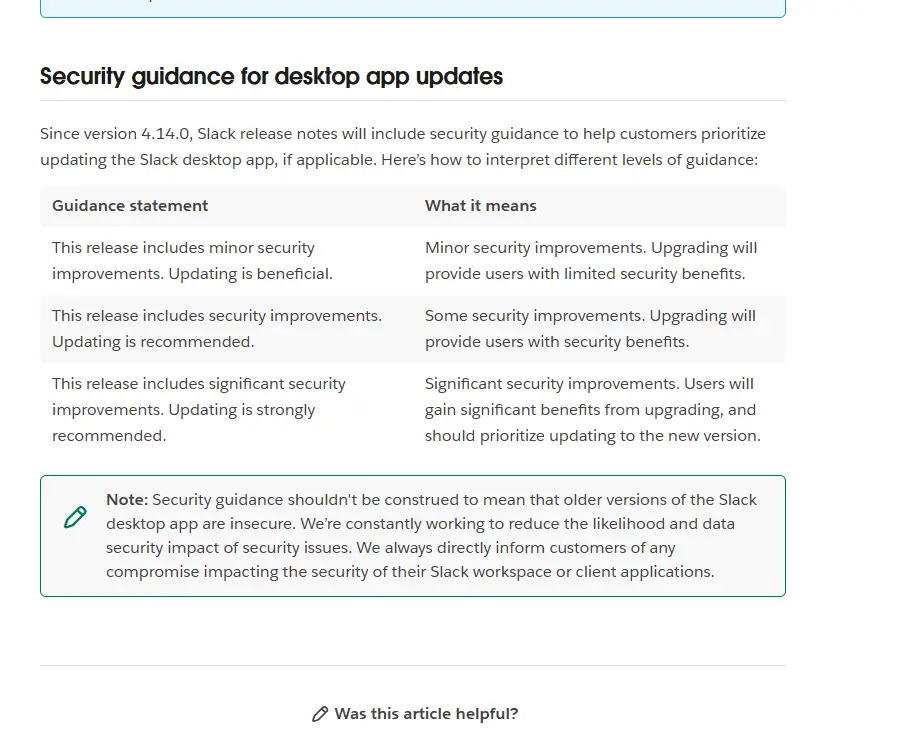
Slack revises requirements every May and November. When an app version reaches end of support, Slack prompts you to upgrade and blocks access until you do. Heads-up: Slack's support lifecycle page lists desktop app versions 4.46.104 and below as reaching end of support on November 9, 2026. Slack's Linux release notes label builds with security guidance, from "updating is beneficial" to "strongly recommended", which helps you prioritise.
Uninstalling, Troubleshooting and Safety
- RHEL, Rocky, AlmaLinux, Fedora:
sudo dnf remove slack. - Debian and derivatives:
sudo apt purge slack-desktop. - Snap:
sudo snap remove slack. - Community packages: remove them with your package manager, following the package's own instructions.
Removing the app never deletes your messages; they stay in your workspace. For blank windows, sign-in loops or connection errors, see our Slack download troubleshooting guide. And never install files from forum attachments or download sites claiming to be Slack; our guide to safe Slack downloads explains how to check a source.
Frequently Asked Questions
Is Slack officially supported on Fedora?
No. Slack's support lifecycle page lists all Fedora versions as reaching end of support on March 1, 2022, and the current requirements name only Ubuntu LTS 22.04 or above and Red Hat Enterprise Linux 9.0 or above. The official .rpm or the Snap may still run on Fedora, but it is best effort. The web app in Chrome or Firefox is a supported alternative.
Is there an official Slack package for Arch Linux?
No. Slack publishes only .deb, .rpm and Snap packages. Arch packages found in community repositories are built and maintained by volunteers, so they are unofficial and not supported by Slack. To stay with official sources on Arch, set up snapd and install the Slack Snap, or use the web app in a supported browser.
Does Slack still support RHEL 8?
No. Slack's support lifecycle page shows Red Hat Enterprise Linux 8 reaching end of support on March 15, 2025. The current minimum is RHEL 9.0. On an unsupported OS you can keep using Slack on a supported app version, but you will not receive app updates, so plan the move to RHEL 9 or later.
Can I use the Slack .deb on Debian or Linux Mint?
Usually, yes. The .deb is built for Ubuntu and generally installs on Debian-based systems such as Debian, Linux Mint and Pop!_OS. Only Ubuntu LTS 22.04 and newer is officially supported, though, so problems on other Debian-based distributions are best effort and the web app is your fallback.
Is there a Slack package for ARM Linux?
Not from the downloads page we checked. On November 6, 2026 the .rpm served was an x86_64 build and the .deb was an amd64 build. If you run Linux on ARM hardware, the web app in a supported browser is the practical route. Check slack.com/downloads/linux again in case that changes.
Which browsers should I use for Slack on Linux?
Use Chrome 137 or later or Firefox 139 or later. Both are on Slack's supported browser list for the web app, and they are the only browsers in which Slack supports huddles. Microsoft Edge 136 or later is also supported for the web app, but not for huddles.