
Slack Download for Android: Install, Permissions and Reliable Notifications
A Slack download on Android takes about a minute through Google Play, but getting the app to deliver every message on time takes a little more care. Most missed alerts come from Android's battery and notification settings rather than from Slack itself. This guide walks through the whole path in order: checking that your phone or tablet is supported, installing the official app, granting sensible permissions, tuning notifications and battery settings, adding more than one workspace, and keeping the app current. SlackDownload.com is a third-party guide, not affiliated with Slack or Salesforce, and it never hosts app files; every step below uses the official Google Play listing.
Is your Android device supported?
Slack publishes its official system requirements and revises them every May and November. The Android line is short but strict:
| Requirement | Slack's current minimum | How to check |
|---|---|---|
| Android version | Android 11 or above | Settings, then About phone or Software information (wording varies by manufacturer) |
| Google Play Services | Installed by default on the device | The Play Store came preinstalled and is signed in |
| Slack app version | 25.05.20 or above | Google Play keeps the app current automatically |
| Latest Android release seen | 26.10.40 (October 28, 2026) | Slack's Android release notes |
Requirements last checked: (Slack revises them every May and November).
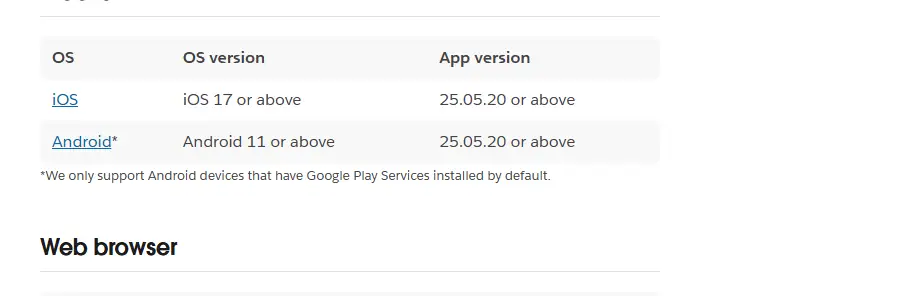
The Google Play Services condition matters more than it looks. Slack states that it only supports Android devices that have Google Play Services installed by default. If your device shipped without the Play Store, the Android app is not supported there, and the Slack web app in a supported browser (Chrome 137+, Firefox 139+ or Edge 136+) is the right option instead. Our guide to Slack APK files and devices without Google Play explains why sideloading does not get around this.
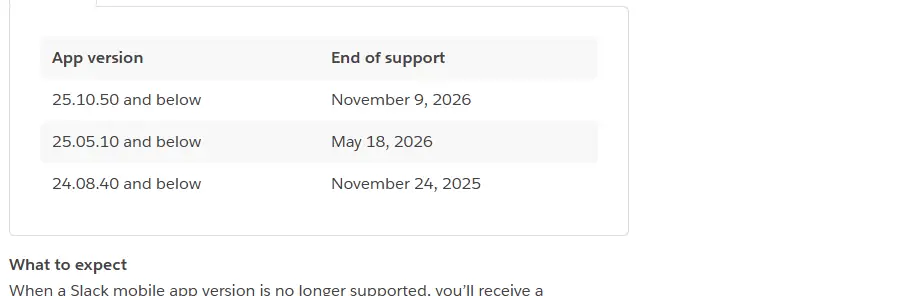
Heads-up: Android 11 reaches end of support on November 9, 2026
Slack's support lifecycle page lists Android 11 and below, and mobile app versions 25.10.50 and below, as reaching end of support on November 9, 2026. On an Android version past its end of support you can still use Slack on a supported app version, but you won't receive app updates and Slack won't be available to download from Google Play. When the app version itself is unsupported, you're prompted to upgrade and can't access Slack until you do. If your phone runs Android 11, look for a system update now and check the official requirements page after that date.
How to download Slack from Google Play
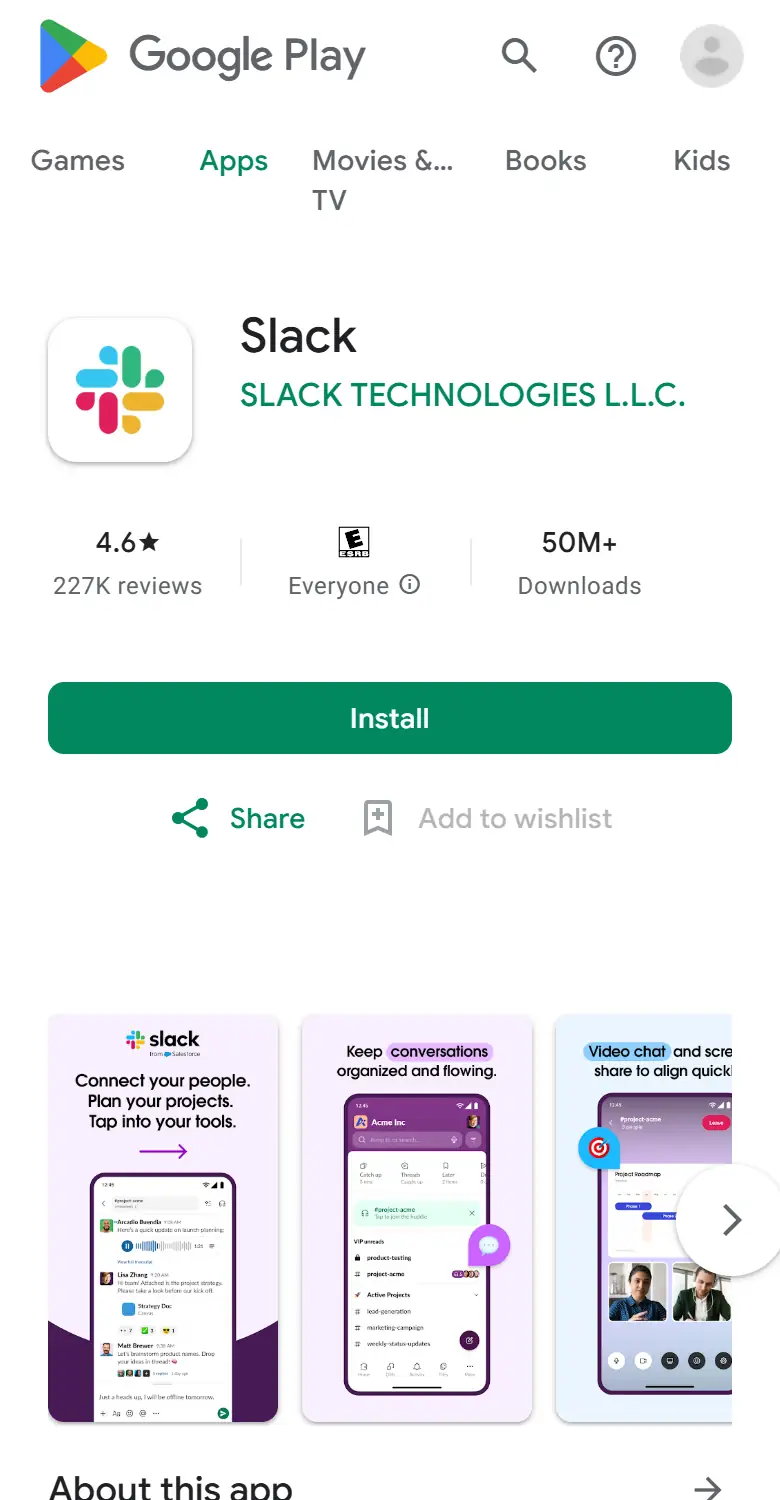
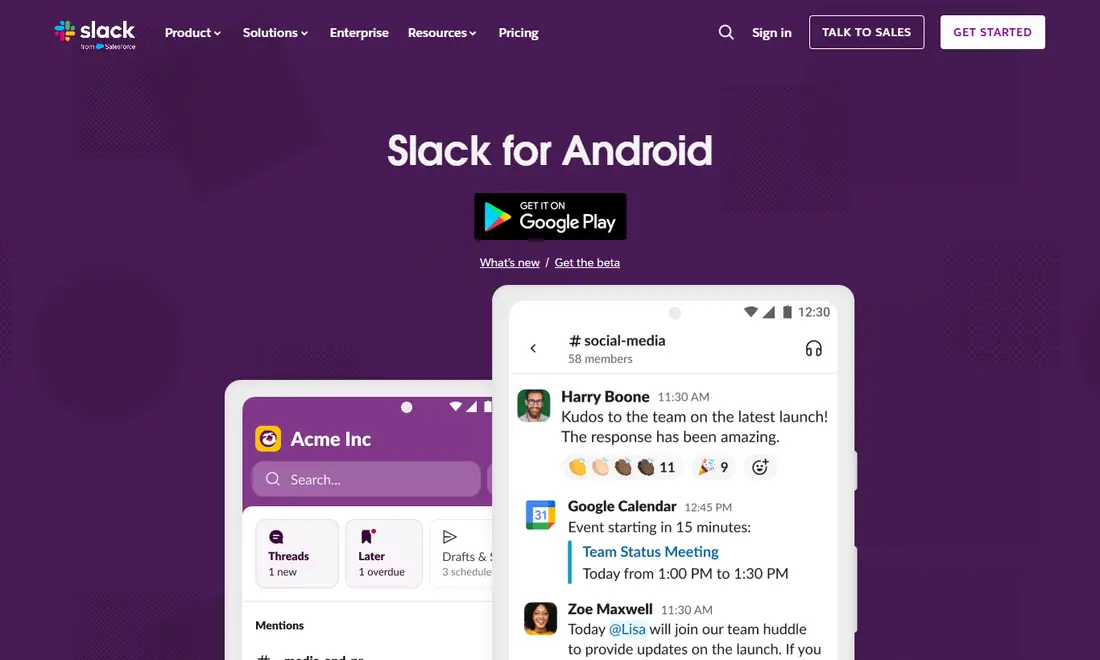
Slack's own Slack for Android download page simply sends you to Google Play, so you can start there or in the Play Store app directly.
- Open the Google Play Store on your phone or tablet and search for Slack.
- Check the developer line under the app name. On the official Google Play listing it reads SLACK TECHNOLOGIES L.L.C. Ignore lookalike apps, templates or "guides" that use the name.
- Make sure you have enough free storage before downloading.
- Tap Install. Google Play delivers the right build for your device and handles future updates.
- Open Slack and sign in with your work email address or the method your workspace uses, such as Google sign-in or company single sign-on.
- Choose your workspace if your email belongs to more than one.
If the Install button is missing or greyed out
A missing install option usually means one of three things: the device runs Android 10 or older, it lacks Google Play Services, or it is managed by your employer and Slack must come through the work profile. In the last case, look for the work section of the Play Store (often marked with a briefcase icon) or ask your IT team to make Slack available.
Permissions Slack asks for on Android
Android asks for permissions when an app first needs them rather than all at once. Here is what each prompt is for:
- Notifications: essential. Without it Slack cannot alert you at all.
- Microphone: huddles, audio clips and voice messages. "Only while using the app" is fine.
- Camera: video in huddles, video clips and photos you share.
- Photos, media or files: attaching images and documents. Newer Android versions let you share selected photos only.
- Contacts: optional; declining it does not affect core messaging.
- Nearby devices or Bluetooth: helps route huddle audio to headsets.
If you declined something by accident, open Android Settings, then Apps, Slack, Permissions. Menu names differ slightly between manufacturers, but the path is similar everywhere.
Set up Slack notifications on Android
Notifications work in two layers. Slack decides which events trigger an alert; Android decides how that alert looks and sounds.
Slack's own preferences
In the Android app, tap the You tab, then Preferences, and open the notification settings. Choose to be notified about everything or only mentions and direct messages, add channel keywords that should always alert you, and set a notification schedule so Slack stays quiet outside working hours. Individual channels can be muted or given their own rules.
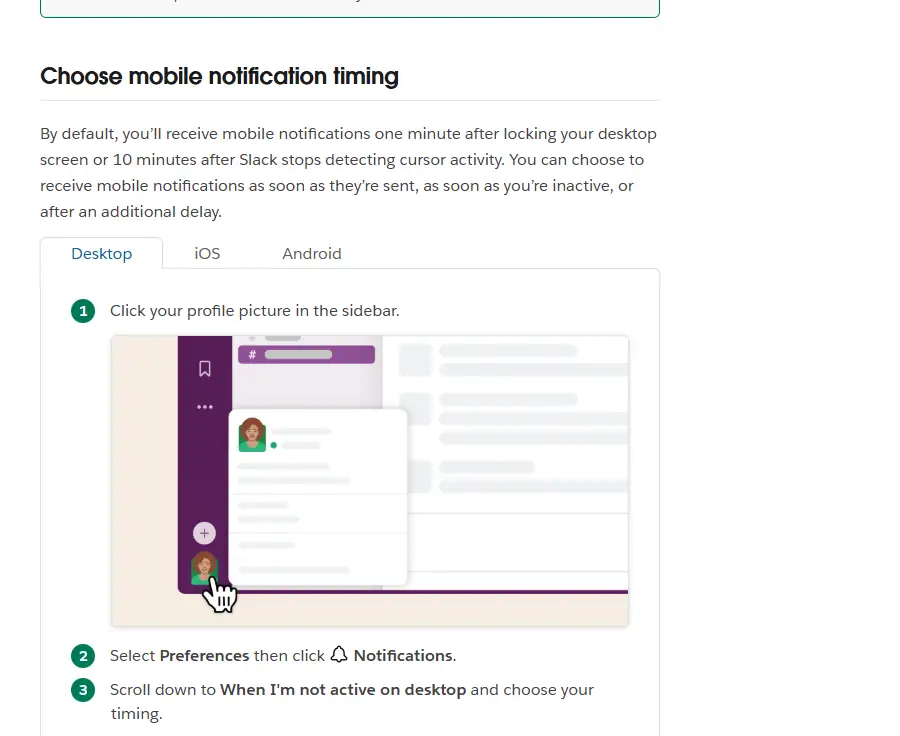
One default surprises many people: according to Slack's help centre, mobile notifications arrive one minute after you lock your desktop screen or 10 minutes after Slack stops detecting cursor activity. You can change this under When I'm not active on desktop to receive mobile alerts as soon as they're sent, as soon as you're inactive, or after an extra delay. Our Slack notifications guide covers keywords, schedules and pausing in depth.
Android notification categories
Android groups each app's alerts into categories. Open Settings, then Apps, Slack, Notifications to see Slack's list; category names depend on your app version. For each one you can choose whether it is allowed, makes a sound or vibrates, pops up on screen, shows on the lock screen, or overrides Do Not Disturb. A sensible start: let direct messages, mentions and huddle invitations make sound, and keep low-priority categories silent.
Stop battery optimisation from delaying messages
If alerts arrive late, arrive in bursts when you unlock the phone, or never arrive, battery optimisation is the most likely cause. Android and many manufacturer skins restrict background apps aggressively to save power.
- Standard Android: Settings, Apps, Slack, Battery, then choose an option such as Unrestricted or Not optimised.
- Manufacturer power managers: if Slack appears in a "sleeping" or "deep sleeping" apps list, remove it, and allow background activity or auto-start where offered. Names vary by brand.
- Data saver: allow Slack unrestricted data if you rely on mobile networks.
- Do Not Disturb or focus modes: add Slack as an exception if you want it to break through.
- Google Play Services: keep it updated through Google Play, since push notifications depend on it.
Troubleshooting Slack on Android
| Symptom | Likely cause | What to do |
|---|---|---|
| Slack not offered in Google Play | Android 10 or older, or no Google Play Services | Update Android if possible; otherwise use the web app |
| Notifications late or only on opening | Battery optimisation or power manager | Set battery to unrestricted and remove from sleeping lists |
| No alerts while at your desk | Mobile notification timing default | Change When I'm not active on desktop |
| Prompt to upgrade, app blocked | App version past end of support | Update Slack from Google Play |
| Install blocked on a work phone | Managed device or work profile | Install from the work Play Store or ask IT |
For connection errors, sign-in loops and other problems, see our Slack download troubleshooting guide.
Multiple workspaces, tablets and foldables
One installation handles several workspaces. Tap the workspace switcher, add a workspace, and sign in with the email used there; each workspace keeps its own notification preferences. On company-managed phones you may see two Slack icons, one with a briefcase badge for the work profile, and each copy keeps its data separate.
Tablets and foldables follow the same requirements as phones. Landscape tablets show more at once, a keyboard makes long replies easier, and Android's split-screen mode lets Slack sit beside a document or calendar. On foldables, Slack adapts between the cover screen and the inner display; if the layout looks stretched after unfolding, update both Slack and your system software.
Keep the Slack Android app updated and safe
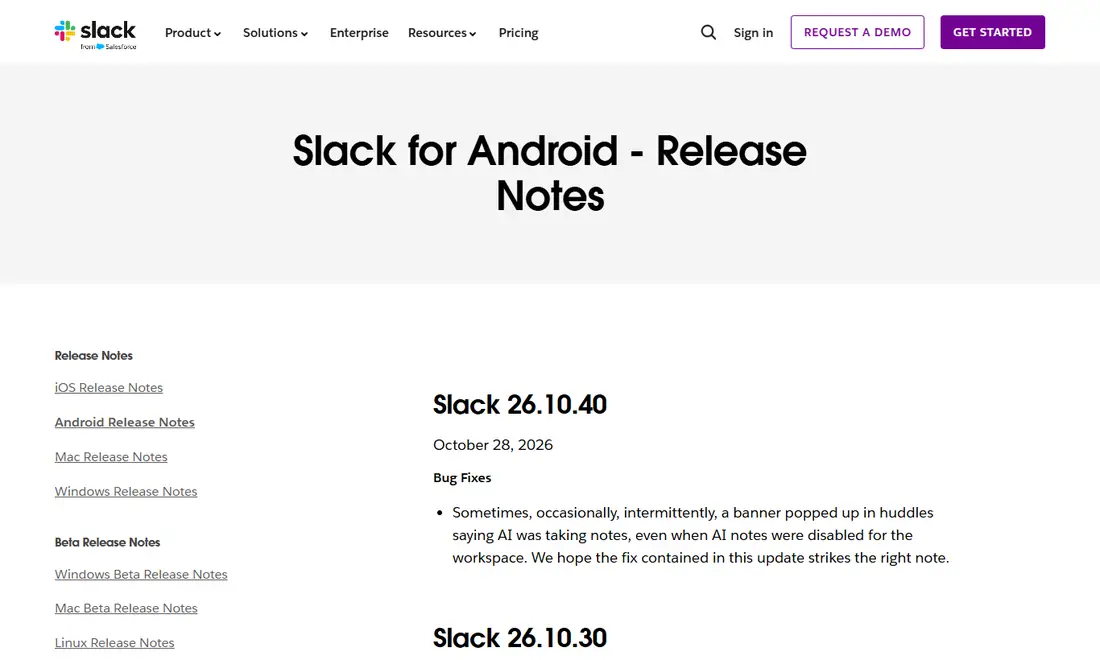
Slack ships Android updates frequently; the top entry in the Slack for Android release notes on November 6, 2026 was 26.10.40, dated October 28, 2026. Leave auto-update switched on in Google Play, or open Slack's store page and tap Update when one is waiting. Keeping Android itself updated matters too, because the minimum OS version rises over time.
For safety, install only from Google Play and check the developer name before tapping Install. Slack is free to download, so any site selling a "premium" Android build is a scam. Our guide to downloading Slack safely lists every official source and the publisher name each one shows.
Frequently Asked Questions
Why do my Slack notifications only show up when I open the app?
This is almost always battery optimisation or a manufacturer power manager restricting Slack in the background. Set Slack's battery usage to unrestricted, remove it from any sleeping-apps list and allow background data. Also check that Slack's own notifications are not paused and that you are not still active on the desktop app.
Can I install Slack on an Android 10 phone?
Slack's current requirements list Android 11 or above, so an Android 10 device is outside the supported range. Look for a system update from your manufacturer. If none exists, sign in to the Slack web app in a supported browser instead, accepting that a browser on a phone is more limited than the app.
Do I need a separate Slack app for each workspace?
No. One installation of Slack can hold several workspaces, and you switch between them from the workspace switcher. The exception is a company-managed phone, where your work workspace may live in a separate copy of Slack inside the work profile while personal workspaces stay in the personal copy.
Which permissions does Slack actually need on Android?
Notifications are essential if you want alerts. Microphone and camera are needed for huddles and clips, and photo or file access lets you share attachments. Contacts access is optional and can be declined without losing core messaging. You can change any of these later under Settings, Apps, Slack, Permissions.
What happens to Slack on Android 11 after November 9, 2026?
Slack's support lifecycle page lists Android 11 and below as reaching end of support on that date. On an unsupported Android version you can keep using Slack on a supported app version, but you will not receive app updates and Slack will not be available to download from Google Play.
Is the Slack Android app free?
Yes, Slack is free to download from Google Play. What you can do inside it depends on your workspace's plan: the Free plan limits visible message history to 90 days, while paid plans such as Pro, Business+ and Enterprise+ add more features. The plan belongs to the workspace, not to the app.