
Slack Download for Windows 10: What Still Works and Your Options

People still search for a Slack download for Windows 10 every day, and it is easy to see why: plenty of good PCs still run it. The honest answer is not "click and install." Windows 10 is not on Slack's current list of supported operating systems, and Slack's own lifecycle page shows Windows 10 version 21H2 reached end of support on March 15, 2025. This guide explains what that means in practice, what Slack's policy says happens on an unsupported system, and which options keep you on solid ground. SlackDownload.com is a third-party guide; we do not host installers and only point to official sources.
The Short Version
- Slack currently supports Windows 11 version 23H2 or above, or Windows Server 2016. Windows 10 is not on that list.
- Slack's support lifecycle page lists Windows 10 version 21H2 with an end-of-support date of March 15, 2025.
- On an operating system past end of support, Slack's policy says you can still access Slack on a supported app version, but you won't receive app updates, and Slack won't be downloadable from the Microsoft Store.
- Your dependable options are upgrading to Windows 11 version 23H2 or later, or using the Slack web app in a supported browser.
- Never install Slack from an old saved installer or an unofficial download site.
What Slack's System Requirements Say Today
Slack reviews its requirements every May and November. The current desktop minimums are below; Windows 10 does not appear anywhere in them.
| Platform | Current Slack minimum | App version |
|---|---|---|
| Windows | Windows 11 version 23H2 or above; Windows Server 2016 | 4.44 or above |
| Windows 10 | Not on the current supported list | No supported app version |
| macOS | macOS 13 or above | 4.44 or above |
| Linux (beta) | Ubuntu LTS 22.04 or above; Red Hat Enterprise Linux 9.0 or above | 4.44 or above |
| Web browsers | Chrome 137+, Firefox 139+, Safari 26+, Microsoft Edge 136+ | Huddles: Chrome and Firefox only |
Requirements last checked: (Slack revises them every May and November).
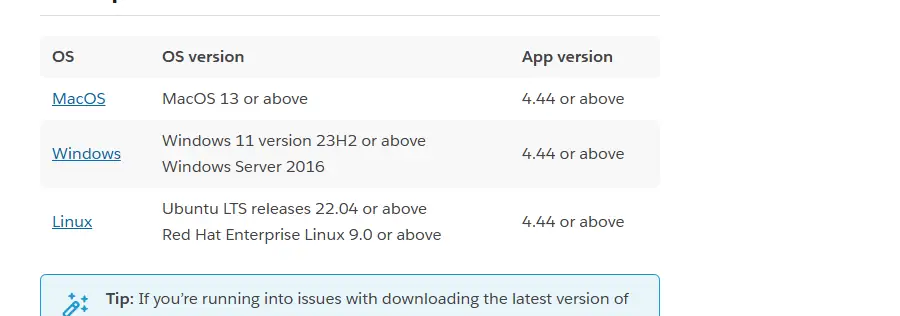
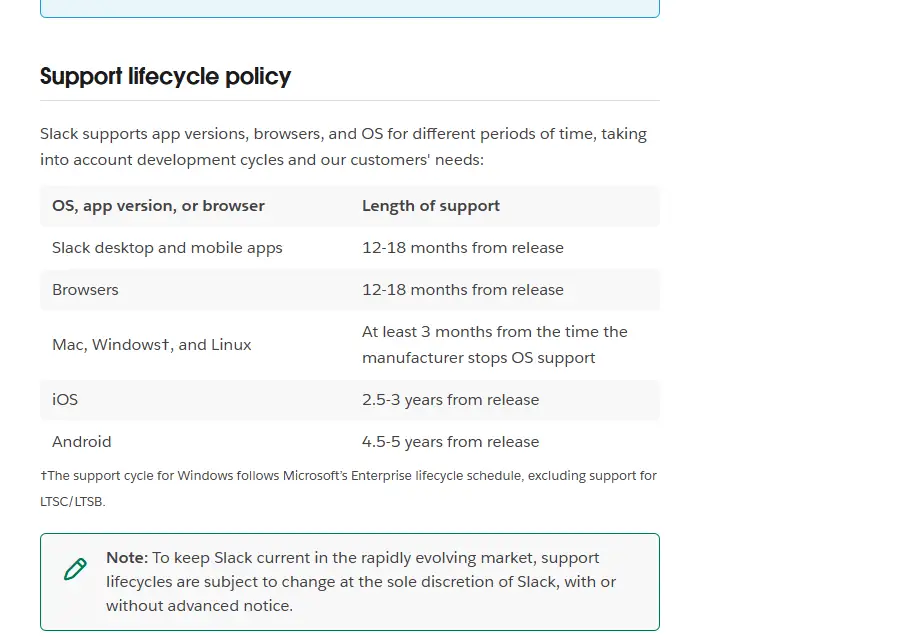
Slack also explains how it decides. Its lifecycle policy says Mac, Windows and Linux are supported for at least three months after the manufacturer stops OS support, and that Windows support follows Microsoft's Enterprise lifecycle schedule, excluding LTSC/LTSB editions. Slack adds that lifecycles can change at its discretion, with or without notice.
What Happens to Slack on an Unsupported Windows 10 PC
Slack's lifecycle page separates two situations, and the difference matters.
| Situation | What Slack says happens |
|---|---|
| Your OS has reached end of support | You can still access Slack as long as you use a supported app version, but you won't receive app updates. Slack won't be available to download from the Microsoft Store (or the App Store or Snap on other systems). |
| Your Slack app version reaches end of support | You're prompted to upgrade, and you can't access Slack until you do. |
| Your browser falls out of support | You're blocked from using Slack in that browser, signing in and managing workspace settings until you upgrade the browser. |
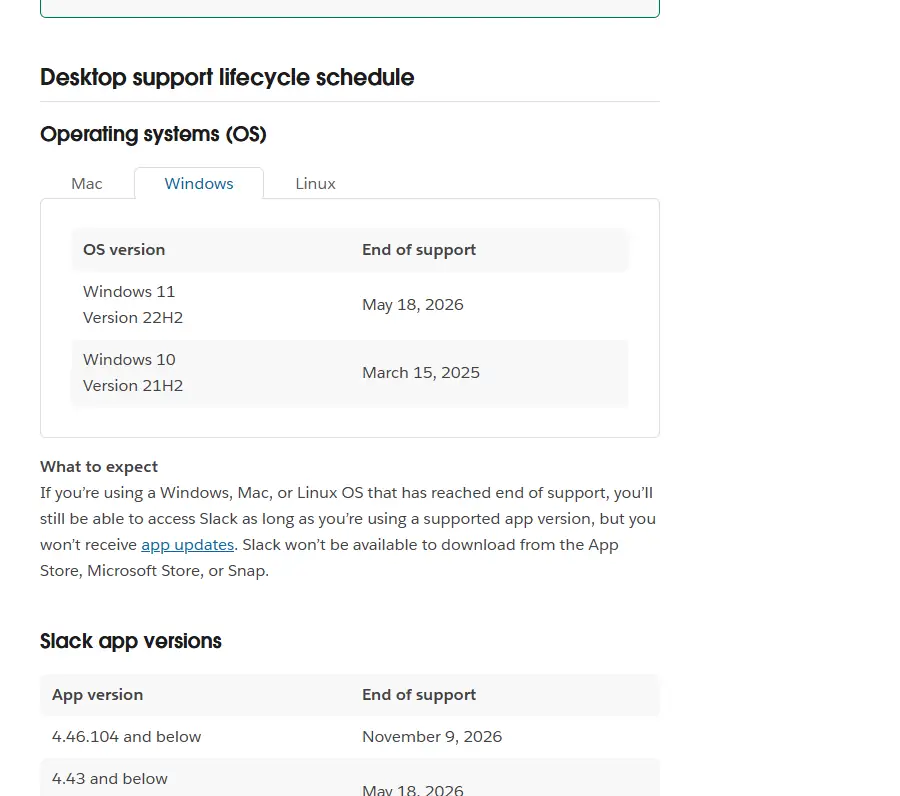
Put together, the risk for Windows 10 is clear. Without app updates, the copy you have gradually ages. Slack's desktop app versions are supported for 12 to 18 months from release, and the lifecycle page already lists desktop app 4.46.104 and below as reaching end of support on November 9, 2026. Once your installed version falls out of support, Slack asks you to upgrade, and if no update reaches your PC, the desktop app stops letting you in. We cannot promise how long any particular Windows 10 setup will keep working, and neither does Slack.
There is also the Windows side. An operating system outside its normal support cycle is a risk of its own, and a work chat app holds sensitive conversations, shared files and connections to other business tools. Even if Slack opens today, that is not a setup we would recommend for daily work, and if something breaks, Slack's support team can reasonably point you back to the supported system list.
Option 1: Upgrade to Windows 11 Version 23H2 or Later
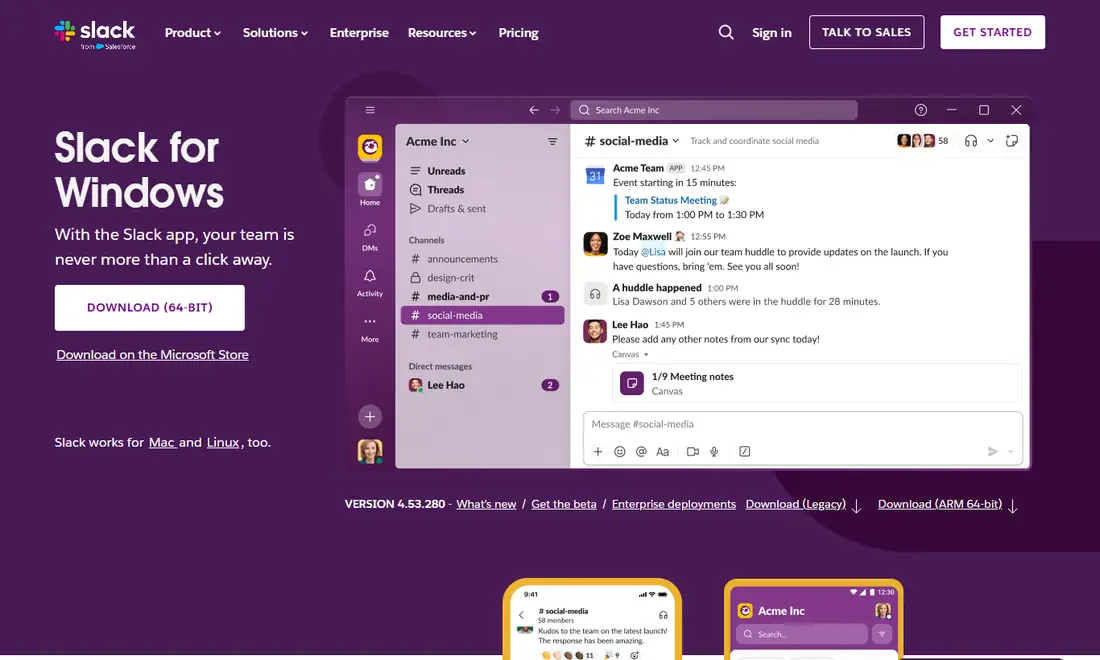
This is the cleanest long-term fix. Once the PC runs Windows 11 version 23H2 or later, you can use the normal Slack download for Windows 11: the 64-bit or ARM 64-bit installer from slack.com, or the Microsoft Store listing, with updates as usual.
- Check in Windows Update whether your PC is offered Windows 11. Windows 11 has stricter hardware requirements than Windows 10, so some older PCs will not qualify.
- Back up your files before upgrading.
- After the upgrade, confirm you are on version 23H2 or later before installing Slack. Slack's lifecycle page shows Windows 11 version 22H2 already reached end of support on May 18, 2026.
- On a work device, ask IT first; they may have a planned rollout or a managed Slack deployment.
Option 2: Use Slack in a Supported Browser
If the PC cannot move to Windows 11, the Slack web app is the practical substitute for the desktop app. Open Slack's official sign-in page and sign in with your work email or with Google, Microsoft or Apple, or enter your workspace URL. You get channels, direct messages, threads, search and file sharing without installing anything.
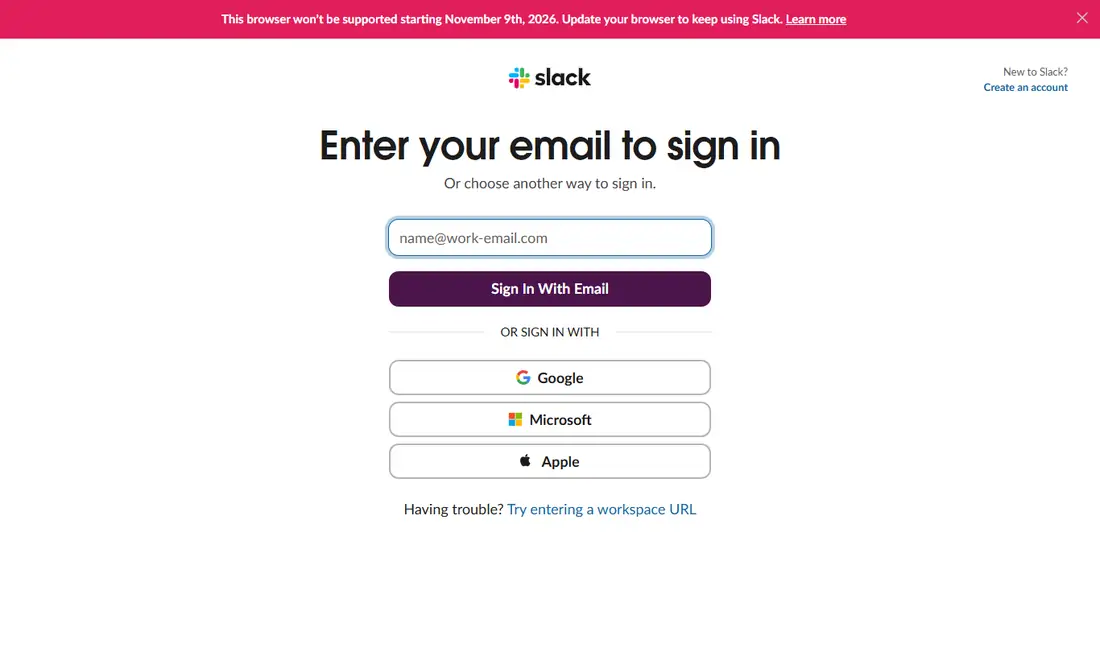
Supported browsers are Chrome 137 or later, Firefox 139 or later, Safari 26 or later and Microsoft Edge 136 or later. Only Chrome and Firefox support huddles, so pick one of those if you join calls. Keep the browser updated: Slack's lifecycle page lists Chrome, Firefox and Edge 142 and below as reaching end of support on November 9, 2026, and an out-of-support browser is blocked. Our Slack web app guide covers notifications, pinned tabs and multiple workspaces.
Be realistic here too: a browser that stops receiving updates on Windows 10 will eventually fall below Slack's browser minimums. The web app buys flexibility, not a permanent answer. Many people combine it with the mobile app while they wait for an upgraded or replacement PC.
Other Ways to Stay Connected
If you mostly need to read and reply on the move, the Slack mobile app is a solid companion. Slack currently requires iOS 17 or above or Android 11 or above, with app version 25.05.20 or above, and supports only Android devices with Google Play Services installed by default. Heads-up: Slack's lifecycle page lists iOS 17 and Android 11 as reaching end of support on November 9, 2026, so check the official requirements page after that date. Get the app only from the App Store or Google Play.
If the PC cannot run Windows 11 and Slack is central to your job, a newer computer on a supported system (Windows 11 23H2 or later, macOS 13 or later, or a supported Ubuntu or Red Hat release) may cost less than months of workarounds.
| Your situation | Best option |
|---|---|
| PC meets Windows 11 hardware requirements | Upgrade to Windows 11 23H2 or later, then install Slack normally |
| PC cannot upgrade, you work at a desk | Web app in Chrome or Firefox |
| You mainly need to stay reachable on the go | Mobile app from the official store |
| Work device managed by IT | Follow IT's upgrade or replacement plan |
Why Old Installers Are a Bad Idea
Whenever an app drops an operating system, sites appear offering "the last version that works on Windows 10." Avoid them. A repackaged installer can carry malware, password stealers or adware, and Slack holds your work conversations and connected tools, so a compromised copy puts your whole workspace at risk. Even a genuine old version is only a delay: once its version reaches end of support, Slack blocks access until you upgrade. Download Slack only from slack.com or the Microsoft Store, and treat any "special Windows 10 edition" as fake. Our Slack download safety checklist lists the warning signs.
Advice for IT Teams Still Managing Windows 10
- Inventory first: identify which devices still run Windows 10 and which can upgrade.
- Communicate early: tell staff the Slack desktop app on Windows 10 is outside Slack's support and give them a timeline.
- Offer a fallback: point non-upgradable devices to the web app in Chrome or Firefox.
- Standardize on MSIX: Slack's Windows deployment article offers an MSIX package for installs at scale. It says the package is compatible with Windows 10 and 11, but that does not make Windows 10 a supported OS for Slack.
- Watch the calendar: review the Slack support lifecycle page each May and November.
Frequently Asked Questions
Can I still download Slack on Windows 10?
Windows 10 is not on Slack's current supported list, and Slack's lifecycle page shows Windows 10 version 21H2 reached end of support on March 15, 2025. Slack's policy says it is not downloadable from the Microsoft Store on unsupported systems. For a dependable setup, upgrade to Windows 11 version 23H2 or later, or use the web app in a supported browser.
Will Slack stop working on my Windows 10 PC?
Slack's policy is that on an unsupported OS you can still access Slack while your app version is supported, but you won't receive app updates. When your installed app version reaches end of support, Slack prompts you to upgrade and blocks access until you do. Nobody can promise how long a given Windows 10 setup will keep working.
Is the Slack web app a good replacement on Windows 10?
For most tasks, yes. The web app covers channels, direct messages, threads, search and file sharing in Chrome 137+, Firefox 139+, Edge 136+ or Safari 26+. Use Chrome or Firefox if you need huddles. Keep the browser updated, because Slack blocks browsers that fall out of support.
Is it safe to use an older Slack installer that worked on Windows 10?
No. Installers from unofficial sources can contain malware, and even a genuine old version will be blocked once that app version reaches end of support. Slack's lifecycle page lists desktop app 4.46.104 and below as reaching end of support on November 9, 2026. Always download from slack.com or the Microsoft Store.
What do I need to run the Slack desktop app officially on Windows?
Slack currently lists Windows 11 version 23H2 or above, or Windows Server 2016, with desktop app version 4.44 or above. If your PC can run Windows 11, upgrading to 23H2 or later and then installing Slack from slack.com or the Microsoft Store is the most straightforward fix.
Does the Slack MSIX package make Windows 10 supported?
No. Slack's deployment article says its MSIX package is compatible with Windows 10 and 11, but the system requirements page is what defines support, and it lists Windows 11 version 23H2 or above and Windows Server 2016 only. IT teams should treat Windows 10 as unsupported and plan upgrades.